Turn off browser translation
Chrome and Edge offer to translate web pages automatically. In Nanos this shifts text around, stops buttons from responding, makes entries disappear and can freeze pages. Please switch translation off once. It takes a minute.
Typical signs
- The cursor jumps to the end of the field while you type.
- Entries disappear again or are not saved.
- Tabs or buttons are missing, or a “404” suddenly appears.
- Text overlaps or shows up in an odd language.
Google Chrome
The round red, yellow, green and blue icon.
-
Open the language settings
Open a new tab in Chrome. Copy this address, paste it into the address bar at the top and press Enter:
chrome://settings/languagesOr with the mouse: the three dots ⋮ at the top right → Settings → Languages on the left.
-
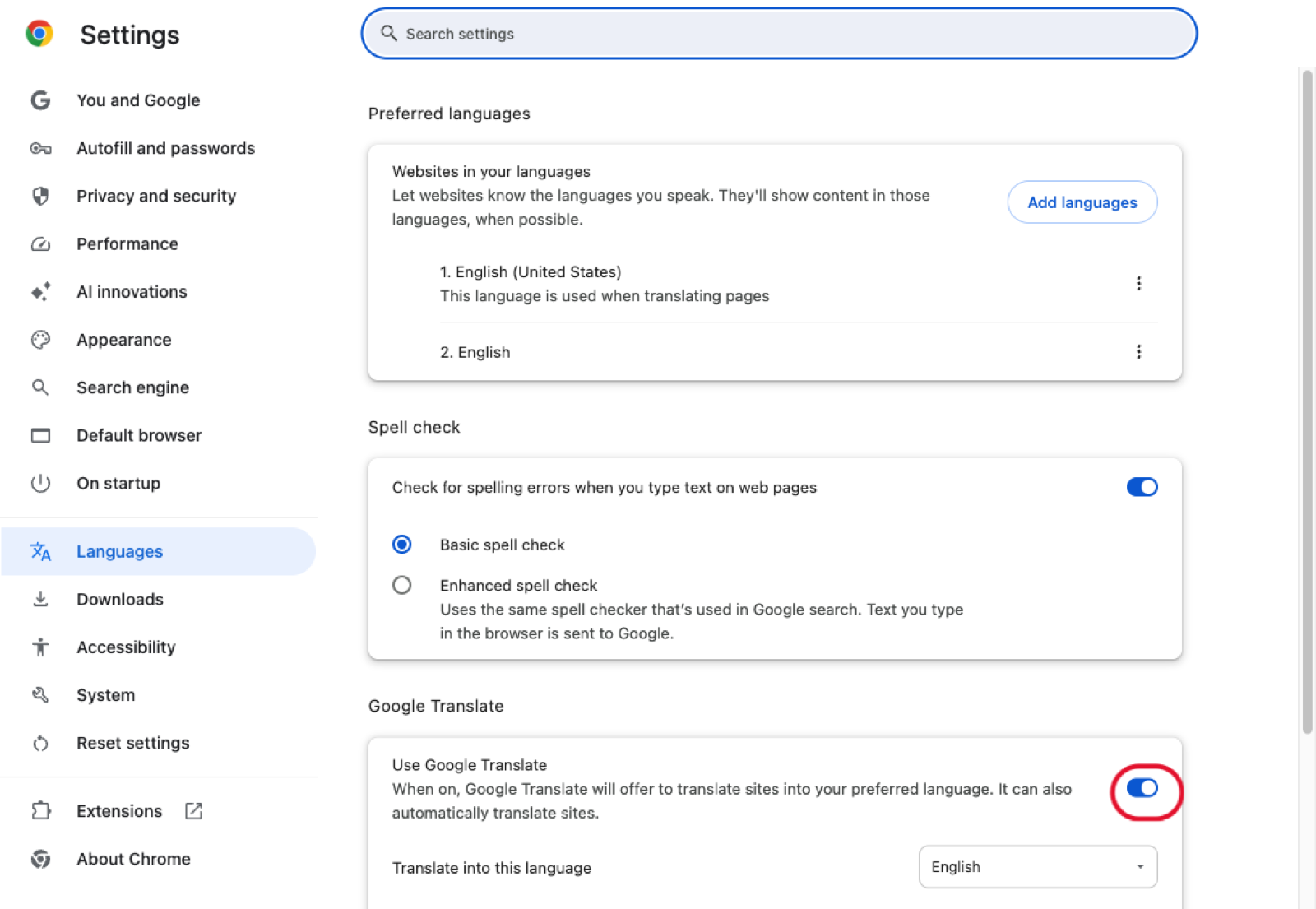
Click the “Use Google Translate” switch
Scroll down to the Google Translate section and click the blue switch on the right (circled in red).
-
Check: the switch is now grey
This is what it should look like. Then reload the Nanos page: F5 on Windows, ⌘ + R on a Mac.

Microsoft Edge
The blue-green wave icon, often pre-installed on Windows.
-
Open the language settings
Open a new tab in Edge. Copy this address, paste it into the address bar at the top and press Enter:
edge://settings/languagesOr with the mouse: the three dots … at the top right → Settings → Languages on the left.
-
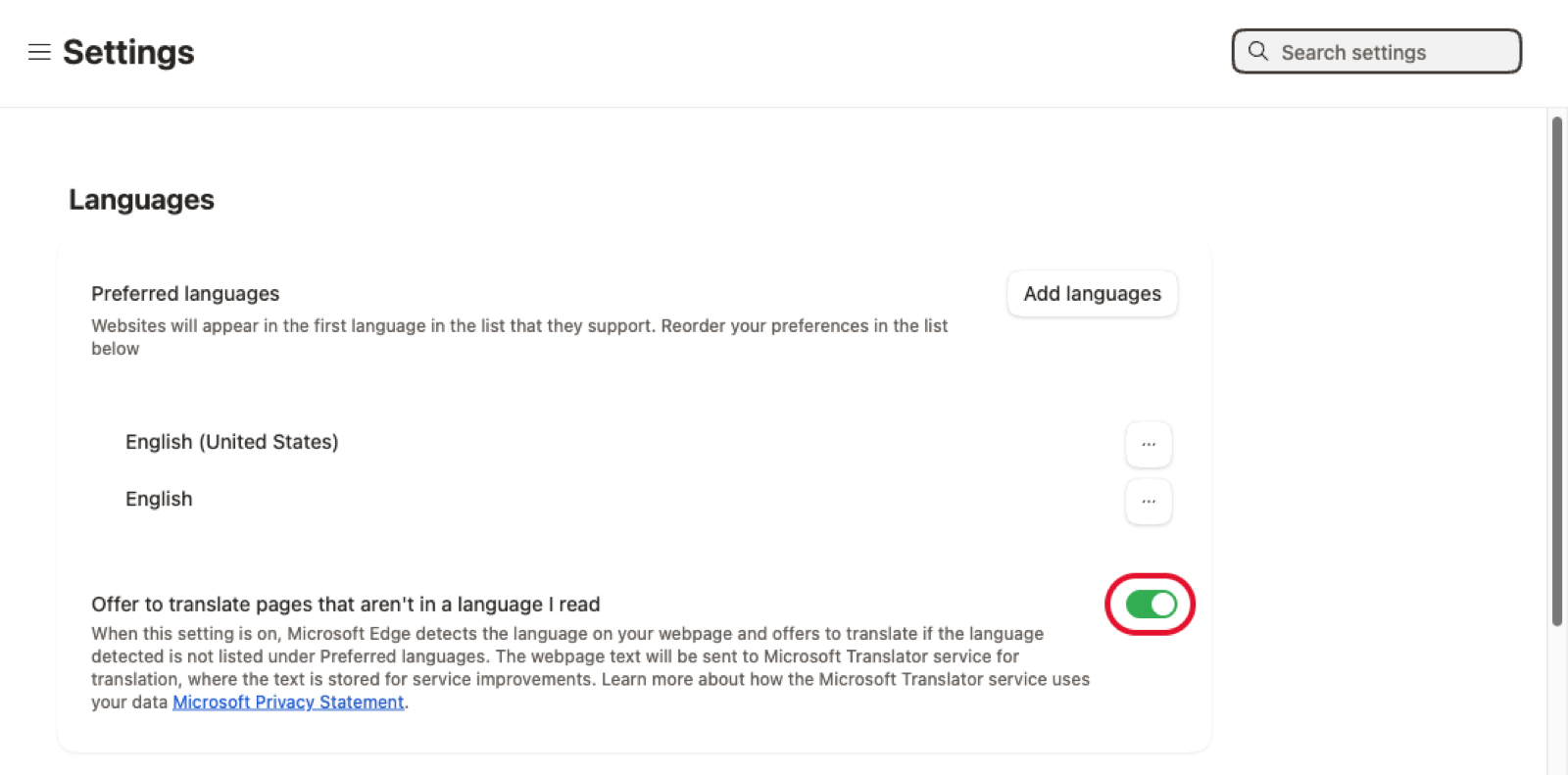
Click the “Offer to translate pages …” switch
The switch sits right below your preferred languages. Click the green switch on the right (circled in red).
-
Check: the switch is now grey
This is what it should look like. Then reload the Nanos page: F5 on Windows, ⌘ + R on a Mac.

If it doesn’t work
The switch is greyed out and says “Managed by your organization”
Your IT department has set translation centrally. Please forward this page to them.
The page is still translated
Reload the page. If you also have a translation extension installed (DeepL or Google Translate as an extension, for example), switch it off for Nanos.
I want to use Nanos in another language
Change the language directly in the Nanos settings. Then you don’t need browser translation at all.
Screenshots: Google Chrome 158 and Microsoft Edge 158, as of November 2026. Older versions may label the switch differently, but it is always under Settings → Languages.